Northern lights
The one Nordlys is named after.
 Nordlys
Get Nordlys
Nordlys
Get Nordlys
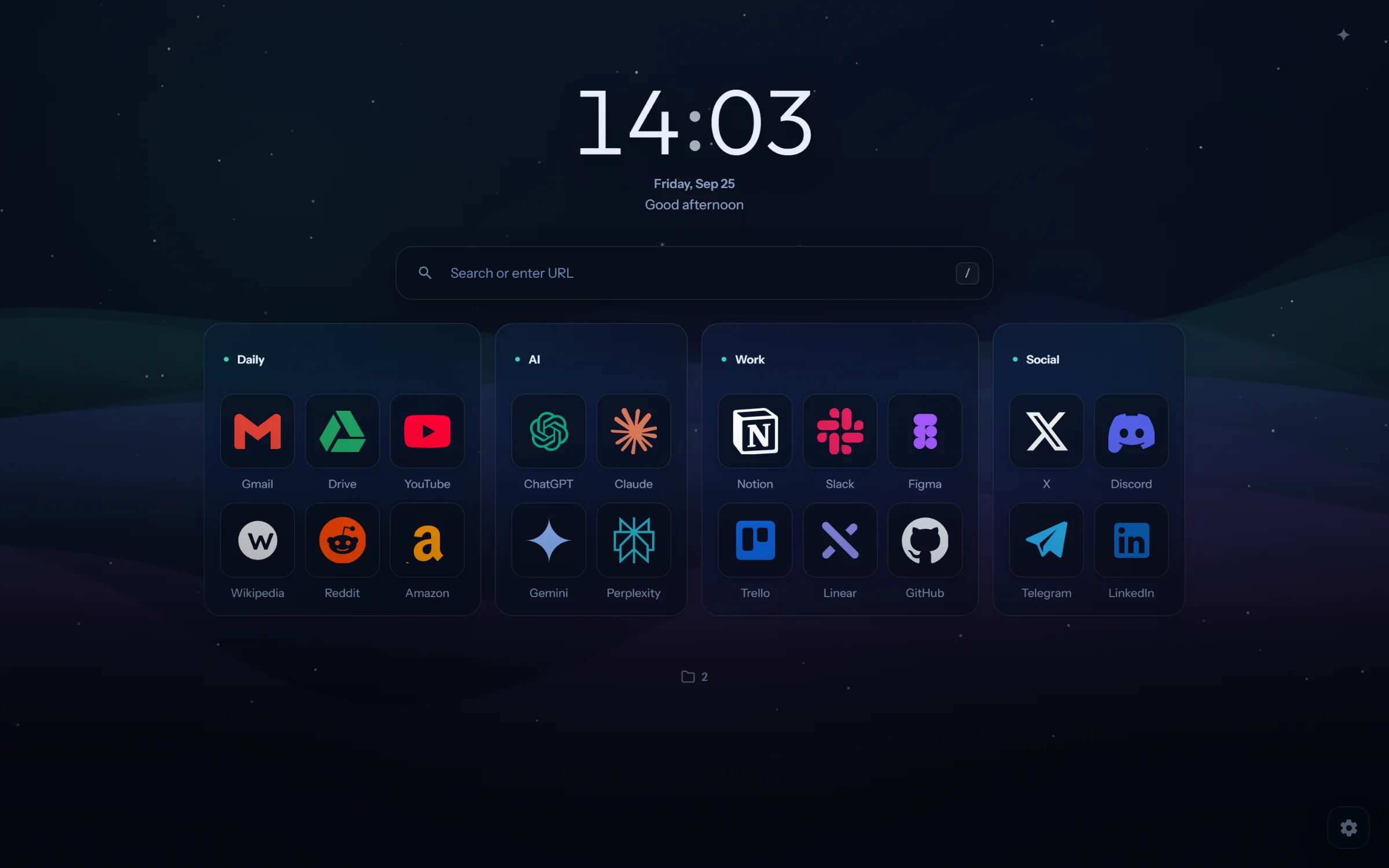
Nordlys puts your favourite sites in folders over a sky that moves. Turn on a dashboard for the day when you want one.
Works in Chrome, Edge, Brave, Opera and other browsers built on Chrome.
Plate I Northern lights
Your sky at tonight
Turn the ring to change the hour
Every new tab opens on them: the sites you use most, in the folders you made, over the sky you picked.
The new tab below is Nordlys itself, running on this page. Change what you like; nothing is saved.The new tab below is Nordlys itself. Tap it to run it here; nothing you change is saved.
Put your sites in folders and drag them into the order you like. You can see where each one will go, and undo any change.
Turn it on and your day sits above your folders: tasks, habits, a focus timer, notes, weather and clocks for other cities. Drag a card by its title, stretch it by its corner.
Focus mode gives your task the whole page: a large timer, rain or ocean sounds made in your browser, and your list at the side.
Keep a Work page and a Home page, each with its own sites and look, and switch in a click. Sync goes through your browser's own sync.
The search box uses your browser's search engine. It also finds your sites as you type, does sums, and takes commands after a > sign.
Each one is painted by your browser as you watch, and can follow the time of day where you are. Press 1 to 9, or pick one.Scroll through them.
The one Nordlys is named after.
The stars turn slowly around the pole.
A ring around the moon, and the moon as it is tonight.
Columns of light over a town on a frozen night.
High clouds that shine like the inside of a shell.
Soft folds of colour, moving slowly.
Bubbles held in the ice of a frozen lake.
Lines like a map of the hills.
A still fjord, and the sky over it.
Everything on a new tab, in one list. All of it is free.
| What | How it works | Where |
|---|---|---|
| Folders | Keep your favourite sites in folders. Drag them into any order, tidy them in one click, and undo any change. | New tab |
| Search | Uses your browser's search engine. Finds your sites as you type, and does sums. | Search box |
| Commands | After a > sign: change the sky or the colours, open the settings, turn on the dashboard. | Search box |
| Dashboard | Tasks with dates and steps, habits, a focus timer, notes, weather, world clocks and a countdown. | Dashboard |
| Focus mode | A full-page timer with sounds made in your browser, and your list beside it. | Dashboard |
| Your apps | Tasks from the task managers and code hosts you use, and events from any calendar link. The token stays on your device. | Dashboard |
| Skies | Nine skies drawn live, or your own picture or video. | Looks |
| Colours | 21 colour themes, 11 dark and 10 light, including pure black for OLED screens. | Looks |
| Icons | Brand icons by name, a site's own icon, a picture or a letter. | Folders |
| Profiles | Work, Home or any others, each with its own sites and look. Sync goes through your browser's own sync. | Settings |
| Languages | English, Russian, Spanish, German, French, Japanese, Chinese and Turkish. | Settings |
| Privacy | No account, and nothing tracked. Your sites and settings stay in your browser. | Everywhere |
Works in Chrome, Edge, Brave, Opera and other browsers built on Chrome.
Open source, on GitHub.
Yes. There are no ads, and anyone can read the code. There's a "Buy me a coffee" link in settings if you'd like to help.
No. Nordlys keeps your things in your browser. If you turn on sync, it uses your browser's own sync, just as your bookmarks do.
Yes. Nordlys offers to bring them in the first time you open a new tab. You can also import a bookmarks file from any browser, or keep one Nordlys folder in step with a folder of browser bookmarks.
It shouldn't. The skies slow down when you're away and stop when the tab is hidden. You can also choose a still background.
Chrome, Edge, Brave, Opera and other browsers built on Chrome. The Firefox and Safari versions are in the stores' review.
Only what a feature you use needs: searches go to your search engine, icon lookups to an icon library, and weather to a free weather service for the city you choose. The privacy policy lists all of it.
Yes. Turn Nordlys off or remove it on your browser's extensions page, and your usual new tab comes back.